Archive for category Tips

Photoshop TiltShift photography by- tiltshiftphotography.net

I always liked the effect of the tiltshift lens.The basic construction of the lens enables the front element to shift in a direction you like and by that to put the focus of the lens on any point of the frame that you like.By that allowing you to control the lens blur that you want.You could see numerous examples for tiltshift photography in the net.

The fact that those lens cost a lot of money influenced photoshop user to try and simulate the tilt effect with the use of photoshop.

Here is my quick example for this technique.The picture was download for the internet and a 2 minutes PS work yelded this outcome:

TiltShift

This is one of the best tutorials that i stumbled around the net,Enjoy it!

Share you pictures with us and let us decide which one is the best.

Link.

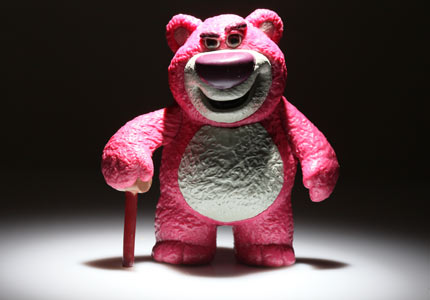
Products Photography-Using Gels For Special Effects

Many times I’m asked how those kind of pictures are taken.I must say that at the beginning I thought that it was a much more complicated process.Actually that when I show this picture to my wife she didn’t believed me that it is mine until I show her the KONICA camera her self.Join this tutorial and read how easy it is to do it!

This post will get you step by step for the final result: a great looking product photo.The product is on a white panel,but the background will be painted with other color that you choose.Here is a little sample of what you can get by using the simple DIY projects done in previous articles.

IMG_9734

So lets start with the what you need list:

  1. White board to use as the surface for the products you shoot-as I do in most of my product shootouts I take some foam borads and use  them for the surface and reflectors.
  2. White perspex board,in case you want to get the reflections as in the picture above.
  3. Two flash unit-one for the main product light,second for the colored background light.
  4. White background-it could be the white wall behind the setup,so you don’t have to go and buy stuff.In this tutorial I used another white foam board,but you could also use a Bristol board as well.
  5. DIY grid .
  6. DIY colored gel pack  (total cost les than 2$).

Lets get going:

Follow the setup in the picture bellow-

  1. Put the surface for taking the products shots on a chair.
  2. The main light will be on a tripod to the left side of the product,shooting through the DIY hot shoe flash grid.
  3. Put the background behind the chair about a feet away .
  4. Put the second flash under the chair,cover it with the desired colored DIY gel (it will control the color of your background).
  5. Starting camera settings- speed 1/160sec, f /8 , Iso 250.
  6. Starting flash settings – main flash (canon speedlite 550EX through DIY grid ) 1/4 power , second flash (Canon speedlite 430EX through colored DIY gel) 1/16 power.
  7. You are ready to shoot.

IMG_9761

Some additional tips:

  1. If you want to get a darker color for the background lower the flash power a little or you could also put second color gel filter.
  2. To get the reflection of the product as in the main picture,use some reflective surface as white perspex board or put above the white foam board a piece of glass.

Here are some sample pictures made with this setup,as you may think there are infinite variation for your fun and games.

With reflections:

IMG_9736

Without reflections:

IMG_9732

Again two examples for the reflection that can be made just by adding a perspex board to the setup.

IMG_9753

IMG_9743

Now its your time to show as your photos and tests for such a simple setup!Link your photos in the comments section below.

Tags: ,

3 Best On Camera Flash Diffusers

Many times when I shoot indoors-family or my little boy Eitan I don’t like to setup flashes and want to be spontaneous .After knowing that the direct on camera flash shooting option is the last thing to consider,I started to look for an on camera flash gadget that will improve the flash diffusion and make the pictures look more alive.

Here are my top nominees:

1.Opteka Universal Soft Screen Flash Diffuser

As I’m used to buy stuff from amazon (started with books and finished with almost everything) I noticed for their home brand Opteka.This on camera screen diffuser will diffuse your pop up flash and prevent red eye with the handy Pixco pop-up flash diffuser. Quick and convenient to put on & take off. This is the answer to most on camera flash problems. Light loss is about 2/3 of a stop. Fits most Canon, Nikon, Sony, Olympus, Kodak, Pentax & Fuji Camera’s with Pop-Up Flashes.

opteka diffuser 2opteka diffuser 1

2.LumiQuest – Instant On-Camera Soft Screen Diffuser

This one is the well known LumiQuest  brand on-camera soft screen diffuser.As a good costumer  of Lumi’s products I have to say that although their products are a bit more expensive they compensate with great building quality and long lasting.LumiQuest’s Soft Screen Diffuser. This diffuser is designed for the built-in pop-up flash of many digital cameras and 35mm SLRs. This device serves to diffuse, distribute and redirect the light for more precisely illuminated subjects under a variety of circumstances. Softens Harsh Shadows Reduces Hot Spots Attaches in Seconds Fits Most Popular Cameras Application: Pop-Up Flash Diffuser.

lumi diffuser panel

3.Professor Kobre’s Lightscoop

This one is probably the most expensive on-camera flash diffuser in this group,but it also has a warmth filter and looks the strongest thing in this competition.This one also won the American Photo Editor’s Choice 2008.Professor Kobre’s Lightscoop, a bounce device for the pop-up flash on most 35mm DSLRs with interchangable lenses, slips over your camera’s pop-up flash and allows you to bounce the flash like professionals bounce an expensive external flash. The Lightscoop is the inexpensive answer to natural-looking bounce flash and digital photography lighting. (Even professionals like it for casual shooting!) No more harsh shadows, bleached faces, red-eye, or cave effect from direct pop-up flash.

Professor Kobre's Lightscoop

4.Gary Fong Puffer Pop Up Flash Diffuser

Gary Fong’s products are very popular gadgets in the lighting department.THE PUFFER mounts in the hot-shoe slot of digital cameras with a pop-up flash, greatly softening and enhancing the quality of light. It’s great for portraits, grab-shots of people and closeups of objects (great for e-bay photos!) It packs up nice and small for convenient storage in your camera bag (or pocket!) and has eight different mounting positions for the perfect fit for any popup flash camera. If you use your popup flash with a wide angle lens and shade, you’ve probably seen a really weird half-circle dark shadow at the bottom of your image. That’s the shadow from your lens shade. When you put on the Puffer diffuser, the shadow is nearly eliminated. Provides professional-style diffused lighting from your camera¿s pop-up flash Softens camera¿s harsh direct flash Reduces harsh shadows Ingeniously mounts via the camera’s flash shoe Adjustable for center positioning of any pop-up flash regardless of size Works in any camera mod.

gary fong diffuser

If you tested or used another on camera flash diffuser element,please let as know about it!

Tell as what you use in order to diffuse your on camera flash.

Tags: ,

580ex II master mode does not appear to work? -good master/slave post at fredmiranda.com

In this post a member of the fredmiranda.com forum had a problem setting his Canon 580EXII as master to the Canon 420EX.There is some good tips and pictured explenations on how to solve this problem and set the 580EX master for the 420EX.

The link to the post.

A Must Visit Site-Dave Black Photography

Dave Black is educated in graphic design and drawing,but he is better  known for his photography skills and specialising  in high speed  sport photography.

In his site you’ll see many of his work,as well – and thats the good stuff- the “workshop at the ranch” section:full of detailed tutorials on how to shoot sports!!!

Dave uses for his outdoors photography mainly Nikons speedlights flashes,so its always nice to see how to use them for pro high speed photography.

Dave puts another article each month,so there is a lot to learn every time.

Highly recommended and a must have on your bookmarks!

Dave Black Photography

Workshop at the Ranch

dave black homepage

Tags: ,

10 Great tip for shooting fireworks

After I read a list of tips about shooting fireworks and how to shoot fireworks in the fremiranda.com forums (My favorite forums site).I decided to put my list some pf the points in that list written  corockett (username) .SO here are  the tips I have to give you.

Bey the way I have to menttion that the tips you’ll read here are good for any long exposure night photography and will do great if you are shooting lightning during a stormi night.

It’s really quite easy and it sounds like you have it down.

The key 10 tips for shooting great looking fireworks:

  1. Tripod-as you are going to get long exposures you should have the best tripod you can get.
  2. Shutter Release-to prevent any camera shakes while you press the shutter release.If you don’t have one go for the timer option in your camera.
  3. Bulb Mode – you’ll want to expose as long as the fireworks occur.
  4. Manual
  5. Small Apertures – will allow you to get this long exposure right.
  6. Turn of your camera flash-so it won’t confuse you camera exposure and WB settings.
  7. Try to find the best location-some of the best fireworks are taken when there is some water reflection in the frame (lake,see ect.) you could make it interesting by shooting fireworks while they reflect on a  big building’s windows.
  8. Come early and test the exposure-This will get you ready and not guessing when the real thing will come.Start from here ISO 100 Bulb f11 and change the exposure  as you go on.
  9. Fill up your batteries as long exposure on digital cameras will quickly bring that annoying  blinking battery icon in your camera screen.
  10. Low ISO will make your pictures more noise free.Try to go for 50-100 if possible.

The hard part is framing. Don’t think you need all that “L” glass, take what you have to cover a nice range. I’m taking my 11-16, 17-55 and 70 – 200 to cover anything that comes my way. The 70-200 is probably totally unnecessary. But just about any glass will do because you aren’t going to need tack sharp perfect images, even if you eventually print the shot large.

I think the shots where you see some of the landscape make better shots; i.e. bridges, flags, cityscape, etc.

When you here the “thud” of the firework leaving the launcher, hit the release and hold it down until the firework completes (about 4-5 seconds) counting one one thousand, etc. Chimp and ride your aperture up or down until your exposing nicely. Once you have aperture set. Then you just repeat:

Press shutter on rocket release.

Release shutter on completion of firework expansion.

The biggest surprise for most is they think they need to be at some wide aperture. f8 to f16 has always worked best for me.

Tags: ,

Photo effects with manual zooming your flash

One of he options for controlling the size of your flash light beam is using a snoot or a grid.Both of those methods will be introduce to you  in very simple DIY projects that will improve your photographic creativity very fast and easy.But there is another way to control the size of your flash beam and it is controlling the flash zoom manually.Here is a quick example to the change in the beam size as you change the zoom factor.The camera Canon 40D on the wide side of the Canon 17-55 IS (27mm film equivalent):

flash zoom 105mm

105mm

flash zoom 80mm

80mm

flash zoom 70mm

70mm

flash zoom 50mm

50mm

flash zoom 35mm

35mm

flash zoom 24mm

24mm

You can easly see how the flash cover changes as you change the zoom of the flash.

How to use it for your photography creativity?we’ll load some photos soon!

6 tips for amazing extreme macro photography

Tips from extreme macro photography.

When you want to  shoot macro-getting close into the objects,one option is to use a macro lens.I use the canon 100mm f/2.8 macro.The macro lens allows you to get very close to subjects and gets you 1:1 magnification.

If you want to get extreme closeups you could use the reverse lens approach.What you do is using a len that you have,but you attach the lens reverse.You could use an adaptor to do that but there is also an easy DIY way.

In this shootout I used the canon 100mm macro and hand held the canon 50mm in revrse.

Here it’s how I did it.

Tips for extreme macro photography,using the reverse lens method:

  1. Focus both lens for infinity.
  2. Move them to manual mode,at least the len that is attached to the camera so it won’t try to auto focus while tyring to shoot.
  3. Use you elbows as a human tripod.
  4. Focus the the wanted area by moving your body backwards and upwards.
  5. Try to get the shutter speed as high as possible.
  6. Try to use contrast backgrounds to add surprise elements into the frame.

Here as some examples off photos taken with the reverse lens macro photography approach.

IMG_9999IMG_9995IMG_9985

IMG_9983IMG_9982IMG_0012

IMG_0007IMG_0002IMG_9999

Show us your photos and share your tips with us!

Now go out and shoot!!!

Tags: , ,

4 Lighting gadgets you should consider for your off camera flash

In case you don’t like to do some DIY (I don’t know why cause it a fun thing to do),here are some gadgets for your hot shoe flash.I can promise that some of them will appear in the following weeks us DIY projects section and I promise to total cost will be much much much less.

HonlPhoto 1/8″ Honeycomb Speed Grid for Shoe Mount Portable Flashes

Honeycomb Speed Grid

Thw 1/8 Speed Grid has a 1/8″ honeycomb cell size to effectively narrow the beam of light from your portable flash unit, producing a small circle of light on your subject.

Fits most any shoe mount and most handle mount portable strobes, including Canon 420 though 580 and Nikon SB24 though SB800. Attaches quickly and easily to Honlphoto’s Speed Strap mounting system (not included, sold separately).

Usable honeycomb area is 3.5″ x 2.25″ (appr. 89mm x 58mm)- simply measure the front outside dimensions of your flash lens to assure fit. Rugged ABS/polycarbonate construction. Patent pending design.


Opteka Universal Studio Soft Box Flash Diffuser for  External Flash Units

Opteka Universal Studio Soft Box Flash Diffuser

A dramatic, eye catching photo can mean dramatic profits. Getting a well exposed photo is extremely important. Photographers often turn to a flash to help light the scene. The problem is that flash can cause harsh reflections or glare spots or create deep shadows that distract viewers. This little, portable universal external flash diffuser will prevent those problems when using a flash. Simply put the unit over the camera’s flash, point and shoot. The light will be softened and your photos will be well exposed, without the harsh glare spots.


Lastolite LL LS2438 15 x 15 Inch Ezybox HotShoe

15 x 15 Inch Ezybox HotShoe

The new 45cm x 45cm Ezybox Hotshoe coverts your battery operated tilt head flashgun from a harsh directional light into a soft light, that can then be mounted onto either a light stand or a camera bracket. The Ezybox Hotshoe folds flat in the same way as the other Ezybox models, but does not collapse.


Interfit Photographic Strobies EFX Kit for Shoe Mount Flashes, with Snoot & Honey Combs

Interfit Photographic Strobies EFX Kit for Shoe Mount Flashes

The EFX kit is the perfect addition to the Portrait kit. By adding the additional items in this kit. You will soon create drama inducing side lighting to your portraits by using the two honeycombs with the Flex Mounts to create highlights on the side of the face of your model. The snoot or bounce tube can be used as a hair light to produce unlimited effects and light on the back of the hair. The Velcro strap with the Honeycomb could be your background light. For a smaller spot light on the background why not use the “Velcro on” Honeycomband bounce tube together. For Product photography the EFX kit comes into is own by using the snoot you canhighlight the smallest details which can be used with or without the front honeycombs to guide the light forward. In addition you could use the Flex Mount honeycombs to create a wide area spot concentrated on the background or the subject.

Tags: , ,

Quality of light-some example

Quality of light-simple example.

As I finished making a soon to be published DIY 20cm*20cm Gird Softbox (this will be a good one!!) I found out that there is a couple of minutes left before Eitan’s bath to toy with my white umbrella.This is an example of what they say about the bigger the light source is the better quality of light it will produce.You could checkout for yourself with one is better (quality of light matters):

bad_light_quality good_light_quality

In the right picture is we have the Canon 550EX on a tripod shooting with its omny bounce diffuser on.You could see how bad the shadows looks all over the frame.

On the other side we have the same flash,same position and same power (I only changed the exposure) shooting through a white umbrella and what a difference!!!

Share your experience with quality of light.Who do you prefer?

Enjoy!

Tags: